Documentation Index

Fetch the complete documentation index at: https://docs.thedatacity.com/llms.txt

Use this file to discover all available pages before exploring further.

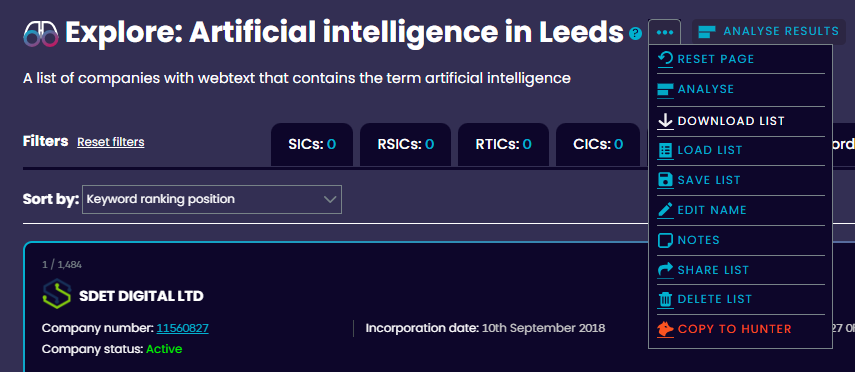
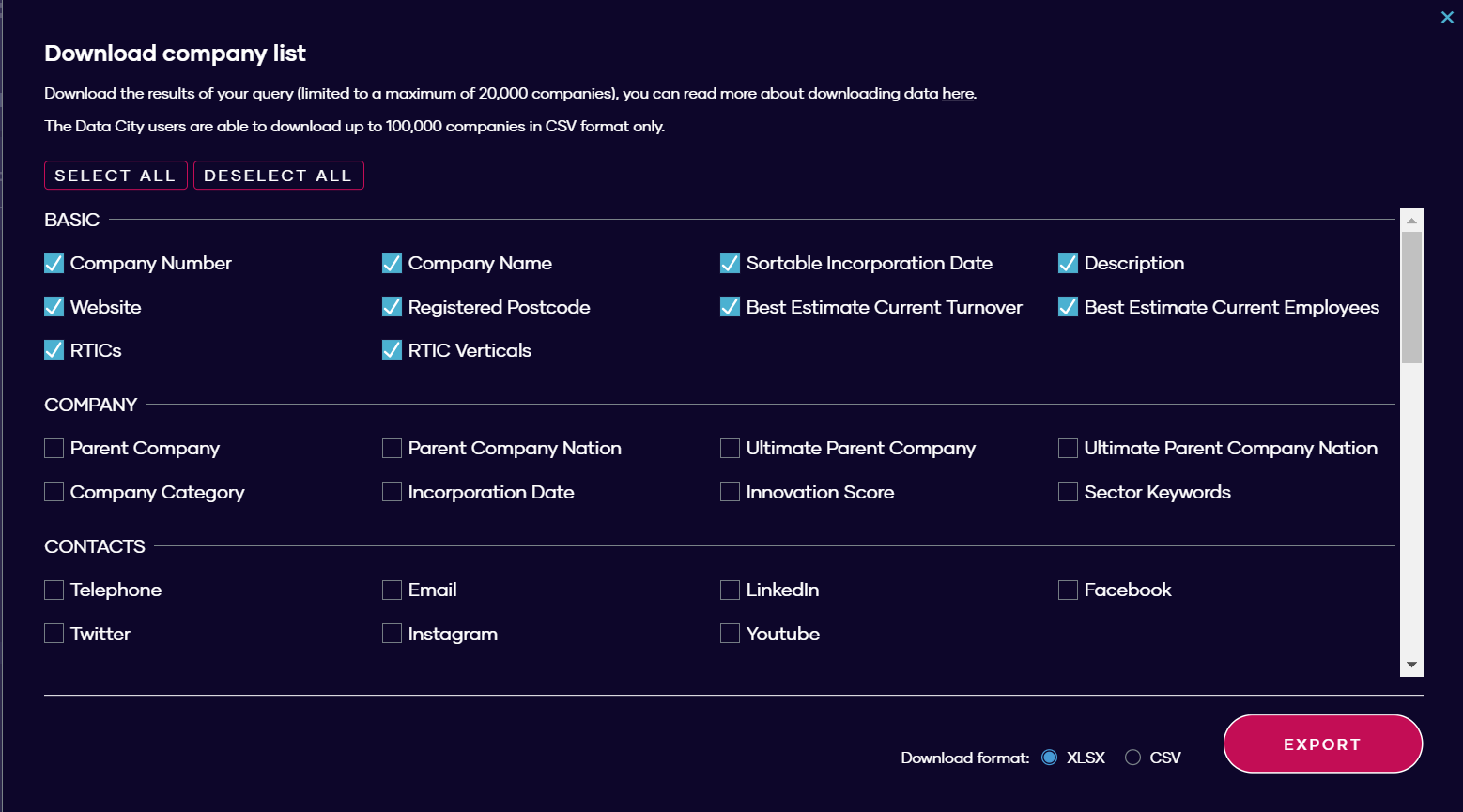
If you want to export data from our platform for further analysis, you can do so in CSV or XLSX formats. You have the option to select which parts of the data you wish to export, which you will receive as a row-based view* of company data. All downloads will be restricted to the first 20,000 results. If you select any field within ‘yearly financials’, the data will contain multiple rows for each company (one row for each financial year). *we have removed our old column-based view of company data (Jul 2024). To download an export just press the three dots next to your list name and select Download List from the menu. You can download data directly from EXPLORE, ANALYSE and ML LISTS. 2025-download-1 You will then be presented with a choice of formats and data to include.  If you choose CSV, you will receive a zip file with a number of separate CSV files. The XLSX version will be one file with multiple sheets. image2 Each checkbox represents a column in the spreadsheet. There are over 80 different checkboxes, grouped into 8 categories. Financial and employee data is broken down yearly, and only given if it is available for at least one company.

BASIC

This covers essential data about a company e.g. company number, incorporation date and RTICs.

COMPANY

Contains further company information that may be of interest e.g. innovation score.

CONTACTS

Email, phone number and socials of each company if known.

YEARLY FINANCIALS

In-depth financial data, including estimated turnover, wages/salaries and profit after tax. This data is broken down yearly where available.

GROWTH

Metrics relating or contributing to the growth of a company, e.g. best estimate growth percentage per year, and Dealroom & Innovate UK funding data.

LOCATION

Geographical information about a company, for example, its registered address, constituency and Strategic Authority. Make sure you understand the difference between the available geographies.

PEOPLE

Employee data and founder/director gender data.

SECTORS

View which SIC and/or CIC code a company is classified within.

In summary, with the download, you’ll receive:

  • A row-based view of the company data you chose to include (unless you choose financial fields).
  • Directors’ details for each company within the list
If downloading from an ML LIST, you will also receive:
  • A breakdown of the scoring system used by the classifier
  • Details of the training set you provided when you created the list e.g. companies to include
API: If you need more than 20,000 records, you may find our API a better solution, information of that can be found on our API page.